
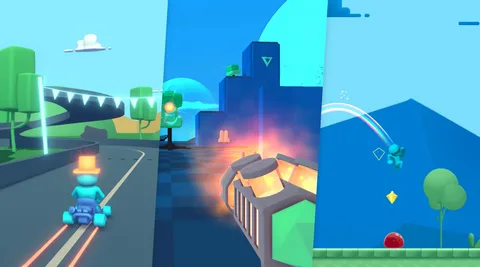
A great game is more than impressive graphics, advanced technology, or a large collection of features. Players remember how a game makes them feel, how easy it is to understand, how responsive the controls are, and whether the experience keeps them interested. This is why player experience has become one of the most important priorities in modern game development.
A game development company has to consider many elements when creating an enjoyable experience. Gameplay mechanics, controls, storytelling, visuals, sound, difficulty, performance, accessibility, and user feedback all contribute to how players experience a game.
Building a better player experience does not happen through one feature. It requires a thoughtful process that connects design, technology, creativity, and testing. Development teams need to understand what players expect and use that knowledge throughout production.
Understanding What Players Want
The first step toward creating a better player experience is understanding the target audience.
Different players have different expectations. Someone who enjoys competitive multiplayer games may care about responsiveness and balance, while someone who prefers narrative games may focus more on characters and storytelling.
Development teams can study their target audience through market research, player interviews, surveys, community discussions, and gameplay testing. These insights help teams understand what players enjoy and where they may encounter problems.
This information can influence decisions before development begins. Instead of adding features simply because they are popular elsewhere, developers can focus on elements that make sense for the intended audience.
Understanding players also helps teams create experiences that feel purposeful rather than overloaded with unnecessary mechanics.
Designing Simple and Responsive Controls
Controls are one of the first things players notice.
If movement feels slow, actions do not respond quickly, or buttons are difficult to understand, players can become frustrated before they experience the game's deeper features.
Good controls should feel natural for the type of game being created. Developers need to consider the platform, input device, player expectations, and complexity of the gameplay.
For console games, controller layouts need to be comfortable and easy to remember. PC games may need keyboard and mouse customization. Mobile games require special attention to touch controls and screen space.
Responsive controls also depend on technical performance. Input delays can make even well designed mechanics feel uncomfortable.
Development teams therefore test controls repeatedly and make adjustments based on real player behavior.
Creating Engaging Gameplay Loops
A gameplay loop is the repeated sequence of actions that players perform during a game.
It could involve exploring an environment, completing objectives, earning rewards, upgrading a character, and taking on a more difficult challenge.
A strong gameplay loop gives players a reason to continue.
Development teams need to make sure these actions remain interesting over time. Repetition without meaningful progression can make a game feel predictable.
Good gameplay design often introduces new challenges, abilities, environments, or decisions as players progress.
The goal is not to make every moment complicated. Simple actions can be highly enjoyable when they provide satisfying feedback and meaningful progression.
Making Game Worlds Feel Alive
A convincing game world can make players feel connected to the experience.
Environmental details can contribute significantly to this feeling. Characters moving through streets, changing weather, ambient sounds, interactive objects, wildlife, lighting changes, and environmental reactions can make a world feel less static.
Developers need to decide which details are important for the game's experience.
An open world may require systems that manage large numbers of objects and characters. A smaller narrative game may focus on carefully designed environments that support the story.
Technology can help create these experiences, but design remains important. A world should feel like more than a collection of visual assets.
Using Storytelling to Build Emotional Connections
Storytelling can give players a reason to care about characters and events.
A strong narrative does not always require long cutscenes. Story can be communicated through dialogue, environmental details, character behavior, missions, objects, sound, and player choices.
Development teams can use these elements together to make players feel involved in the world.
Player agency can also influence the experience. When players believe their actions have consequences, they may become more invested in what happens next.
Not every game needs a complex story. The appropriate level of storytelling depends on the genre and intended experience.
Building Intelligent Game Characters
Characters can strongly influence how believable a game feels.
Non playable characters that repeat the same actions regardless of what happens around them can make an otherwise detailed world feel artificial.
Modern AI and behavior systems can help developers create more responsive characters.
NPCs can react to player actions, environmental conditions, combat situations, or changes in the game world. Companions can also provide different responses based on the situation.
Developers need to establish clear boundaries for these systems. Characters should behave naturally while still supporting the intended gameplay.
The objective is not to make every character unpredictable. It is to make interactions feel believable and meaningful.
Balancing Difficulty
Difficulty can have a major effect on player satisfaction.
A game that is too easy may become boring. A game that is too difficult can cause players to quit.
Finding the right balance requires testing with different types of players.
Development teams can use progression data and playtesting feedback to identify areas where players struggle or lose interest.
Some games also provide adjustable difficulty levels or adaptive systems. These options can allow players with different skill levels to enjoy the same core experience.
Difficulty should also feel fair. When players understand why they failed and believe they can improve, challenging gameplay can become motivating rather than frustrating.
Improving Game Performance
Performance problems can damage an otherwise excellent game.
Long loading times, frame rate drops, crashes, texture problems, audio glitches, and input delays can interrupt the player's experience.
Optimization should begin early in production.
Developers can monitor performance as new features are introduced and identify technical problems before they become difficult to resolve.
Performance testing should cover different devices and hardware configurations when a game supports multiple platforms.
A smooth experience helps players stay immersed in the game instead of thinking about the technology running behind it.
Using Sound to Strengthen Immersion
Audio is sometimes overlooked during early discussions about player experience, but it can have a powerful effect.
Music can establish emotion. Environmental sounds can make locations feel real. Character voices can make conversations more engaging. Sound effects can give actions weight and provide important gameplay feedback.
For example, the sound of an approaching enemy may warn a player before they see it. A change in background music can signal that a major event is about to begin.
Good audio design supports gameplay rather than simply filling silence.
Developers and audio teams work together to determine where sound can provide information, atmosphere, or emotional impact.
Designing Better User Interfaces
A game's interface should help players understand what they need to do without distracting them from the experience.
Menus, maps, health indicators, inventory screens, quest information, tutorials, and notifications all need to be organized clearly.
A complicated interface can make even simple systems difficult to use.
Designers need to consider information hierarchy and make important information easy to find. Controls should also remain consistent throughout the experience.
Interfaces may need to change depending on the platform. A design that works well with a mouse may not work equally well on a touchscreen.
User testing helps teams identify confusing interface elements before launch.
Making Games More Accessible
Accessibility allows more players to enjoy a game.
Development teams can consider options such as adjustable text sizes, subtitles, color settings, controller remapping, audio controls, difficulty options, visual indicators, and other accessibility features.
Accessibility should ideally be considered during the early design process.
Adding these options later can be more difficult if the underlying systems were not designed to support them.
The right accessibility features depend on the game and its audience. The broader goal is to reduce unnecessary barriers without changing the core identity of the experience.
Learning From Player Feedback
Player feedback is one of the most useful resources available after launch.
Reviews, support requests, surveys, community discussions, gameplay data, and social media conversations can reveal problems that internal testing did not identify.
A game development company can analyze this feedback to understand recurring issues and identify areas for improvement.
Not every request needs to be implemented. Developers need to determine whether a change fits the game's design, technical architecture, development resources, and long term goals.
Clear communication can also help. When players understand why certain changes are being made, they can feel more connected to the development process.
Testing With Real Players
Internal testing is important, but development teams can learn different things from people who have not worked on the game.
External playtesting can reveal confusing mechanics, unclear objectives, frustrating difficulty spikes, interface problems, or features that developers assumed players would understand.
Testers may approach a game in ways the development team did not anticipate.
Watching how people play can be especially useful. Developers can see where players hesitate, where they become confused, and which features they naturally use.
These observations can lead to practical design improvements.
Personalizing the Player Experience
Modern games can use data and AI to create more personalized experiences.
A game may track progression, preferred activities, difficulty behavior, or other gameplay patterns. Developers can use this information to improve recommendations, progression systems, or optional content.
Personalization should remain useful rather than intrusive.
Players should feel that the game is responding to their preferences instead of trying to force them into particular behaviors.
Clear privacy practices are also important when games collect player data.
Creating Strong Social Experiences
For multiplayer and community driven games, social interaction can become a major part of the player experience.
Features such as cooperative missions, communication tools, friend systems, team activities, player profiles, and community events can encourage players to return.
Social features need thoughtful design and moderation.
A healthy multiplayer environment requires tools that help players communicate while reducing disruptive behavior.
Reliable matchmaking and stable online performance are also essential. Players are unlikely to enjoy social features if technical problems repeatedly interrupt their sessions.
Continuing to Improve After Launch
Game development does not necessarily end when a title launches.
Modern games can receive updates, new content, performance improvements, balance changes, accessibility features, and bug fixes.
Post launch data helps teams understand how players are actually using the game.
Developers can compare this information with their original expectations and identify areas that need attention.
This approach allows a game to evolve over time while maintaining its core identity.
Successful long term development requires careful planning. Constant changes without a clear direction can make the experience inconsistent.
Combining Creativity With Technology
Technology provides development teams with powerful tools, but technology alone cannot create a memorable game.
A game development company needs designers who understand player psychology, artists who create compelling visuals, programmers who build reliable systems, writers who create meaningful narratives, audio specialists who strengthen immersion, and testers who challenge every part of the experience.
These teams need to work together throughout production.
When creative and technical decisions support the same player focused goal, individual features become part of a larger experience.
Final Thoughts
Better player experiences are created through hundreds of connected decisions. From controls and gameplay mechanics to performance, accessibility, storytelling, audio, interfaces, and post launch updates, every part of a game can influence how players feel about it.
The most effective development process puts players at the center without losing sight of the game's creative identity.
As technology continues to evolve, developers have more tools for understanding player behavior, creating responsive worlds, improving performance, and delivering personalized experiences. The challenge is deciding where those tools genuinely add value.
A player focused approach helps development teams create games that are not only technically capable but also enjoyable, accessible, memorable, and worth returning to.
Frequently Asked Questions
What is player experience in game development?
Player experience refers to how people interact with and feel about a game. It includes gameplay, controls, visuals, audio, storytelling, difficulty, accessibility, performance, and usability.
How can a game development company improve player experience?
Teams can improve the experience through player research, playtesting, responsive controls, balanced gameplay, strong performance, accessible design, clear interfaces, engaging stories, and regular post launch improvements.
Why is playtesting important?
Playtesting allows developers to observe real players interacting with the game. It can reveal confusion, frustration, balance problems, and usability issues that internal teams may miss.
Does better graphics always mean a better player experience?
No. Graphics are only one part of the experience. Strong gameplay, responsive controls, performance, storytelling, sound, accessibility, and usability can be equally important.
How does AI improve player experiences?
AI can support responsive NPC behavior, personalized gameplay, automated testing, procedural content, and player behavior analysis when these technologies are carefully integrated into the game's design.

 English
 French
 Spanish
 Portuguese
 Deutsch
 Turkish
 Dutch
Dutch
 Italiano
 Russian
 Romaian
 Portuguese (Brazil)
 Greek
Greek